I have a love, like, sometimes hate relationship with Manjaro. When it works, it is sweet. Then they will push out an update that trashes something. It’s a distro based on Arch Linux. They really brought Arch into the mainstream because nobody can tolerate Arch. The Arch developers work really hard, but using Arch is like being in Navy Seal training each and every day of your life. A desktop OS should look nice, be reliable, and get the (*&)(*& out of the way!
You really should read Part 1 of this to understand how we got here. There will be a Part 3 in the next few days.
You will get a taste of Arch frustrations with this post. If you wish to run BOINC and use either nvidia340 or nvidia390 drivers on a current Linux kernel, Manjaro is the distro to use. Support is there, it just isn’t that straight forward. You may well notice some of the frustrations end users have with Arch and family.
The Basics
- Download the latest full ISO from the official Manjaro Web site.
- Burn it to a thumb drive of sufficient size.
- Stick said thumb drive in the machine where you wish to install and boot from it.
- When the screen shows choose Open-Source drivers. Choosing Proprietary Drivers will put you in a world of hurt because you won’t get the correct ones and most of you cannot use Linux without a GUI.
- Double click on the install icon or choose install from the welcome menu. Answer all of the questions like a good little user. When it asks about restarting, choose to restart.
Baby Steps
It is best to login and wait for Manjaro to tell you updates are available. You will be fighting the lock file for updates otherwise.

Let the updates finish, then reboot.
After logging back in, choose to open the Add or Remove Software app. Navigate your way through the 3-dot menu to get to settings. You want the Third Party tab.
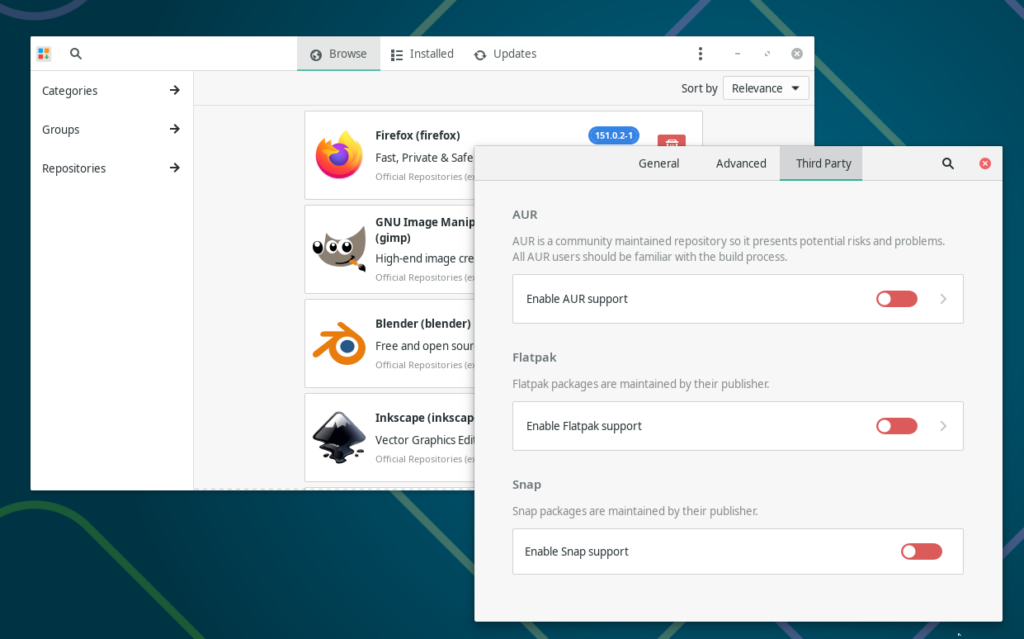
You want to enable AUR. (Never enable Snap!) I believe that stands for Arch User Repository but the name doesn’t matter. What does matter is that most everything in there was created on/for/using Arch. It may or may not build on Arch derivatives. This is especially true if said derivative customizes or otherwise tweaks the kernel.
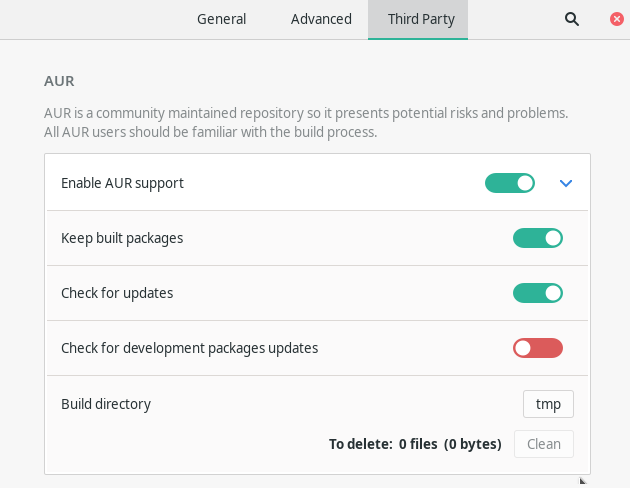
I never enable that development thing. If I was active in the Arch community, creating PKGBUILD scripts for my own stuff, maybe, but I’m not.
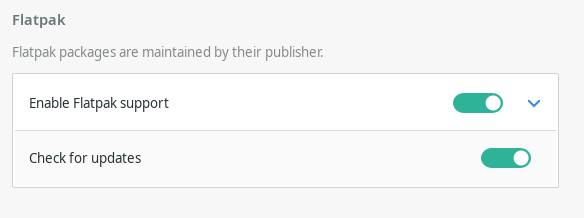
Flatpak isn’t relevant to getting the drivers, but you might as well enable it. More and more software packages are moving to Flatpak only. It’s the only environment you can expect to be mostly the same on every Linux distro.
(Never enable Snap!) Snap has a history of malicious software along with blatant vulnerabilities. More seem to be found every day. Linux Mint and some other YABUs (Yet Another uBUntu) have them disabled by default.
The Manjaro Gotcha
Kernel headers are not installed by default. Even when you install kernel headers Manjaro doesn’t create the symbolic link like most Debian distributions. If you happy click your way to installing nvidia340 or nvidia390 right now you will see this.
==> Starting build()...
NVIDIA: calling KBUILD...
make[1]: Entering directory '/var/tmp/pamac-build-roland/nvidia-340xx/src/NVIDIA-Linux-x86_64-340.108-no-compat32/kernel'
make[1]: *** /usr/src/linux: No such file or directory.  Stop.
make[1]: Leaving directory '/var/tmp/pamac-build-roland/nvidia-340xx/src/NVIDIA-Linux-x86_64-340.108-no-compat32/kernel'
NVIDIA: left KBUILD.
nvidia.ko failed to build!
make: *** [Makefile:202: nvidia.ko] Error 1
==> ERROR: A failure occurred in build().
    Aborting...
Most instructions you find online will tell you to do this
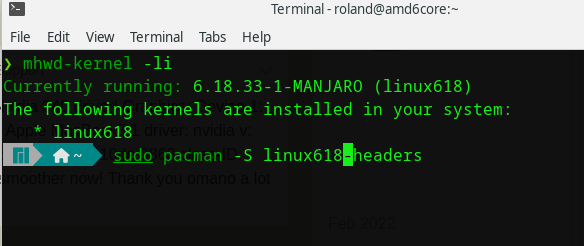
Don’t. Cut and paste this instead.
sudo pacman -S $(mhwd-kernel -li | grep '*' | cut -d ' ' -f5 | awk '{print $0,"-headers"}' | sed s'/ //'g)Make note of which -headers package it installs then type the following (substituting your NNN for 618)
ls /usr/src
sudo ln -s /usr/src/linux618 /usr/src/linux Once you are done your directory should look much like this.
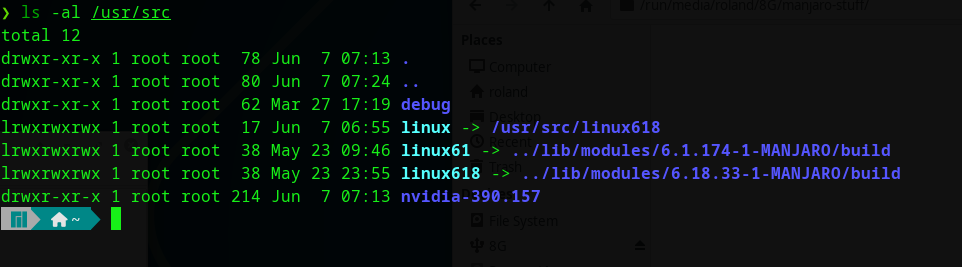
Note that I lined directly to linux618. Note as well the fact this is a ticking time bomb. Most of your Debian based distros set this for you on startup. They create the symbolic link pointing to the headers for whatever kernel you chose to boot. When a new kernel gets installed and you boot with it, things are all well and good.
You’re screwed here. Once you get done building something, delete the symbolic link via the rm command.
Find your driver
Once again open the Add and Remove Software app. Use the search icon (currently a magnifying glass) to search for nvidia. People who need the 340 driver want this one.

Note that it comes from the AUR. People who need the 390 driver want this one
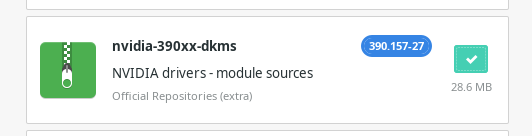
Note that it still comes from official repositories.
Why You Did It
After successful install, reboot and make certain your screen looks okay. If you don’t know which driver your card needs, search the Internet. Be aware the Internet lies. According to the official Nvidia information the card I’m running in that old AMD 6-core Athalon needs nvidia340. It no likey that driver. It loves the 390 driver.
Open the Add/Remove Software app.
Install BOINC Manager, Oracle Virtualbox, and docker. After those have successfully installed:
sudo usermod -a -G vboxusers $USER
sudo usermod -a -G boinc $USER

sudo systemctl enable boinc-client.serviceThen reboot. Use BOINC Manager to add a few projects and check your event log to ensure BOINC found a usable GPU.
Continued in Part 3.



2 comments on “How to still use nvidia340 or nvidia390 – Part 2”
Comments are closed.