For Windows users, uninstalling Avast, AVG, or Aura can be like trying to get rid of a drug resistant social disease. Many end up just tossing out the computer because it “don’t work right” anymore. Yes, there are default uninstall tools for each product, but like an ex-girlfriend, they leave an awful lot of shit behind to mark their turf.
You have to get your hands dirty with regedit. No other way to do it safely.
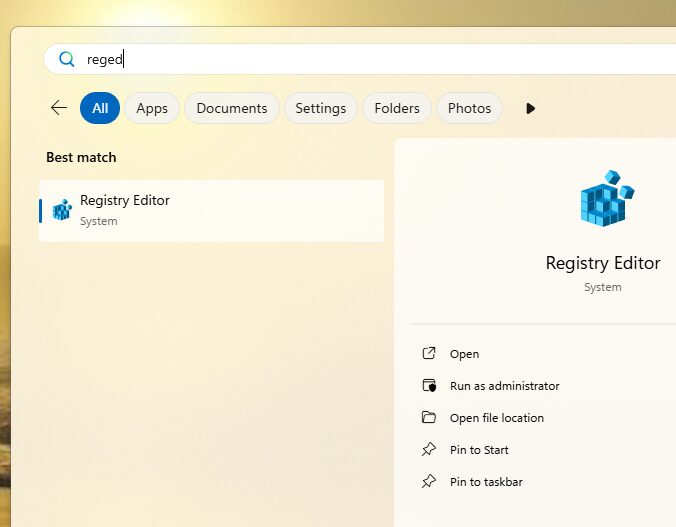
Click on your start button and type “reged.” Choose “Run as administrator.”
Avast is worse than the disease
Choose Edit->Find then key in avast.
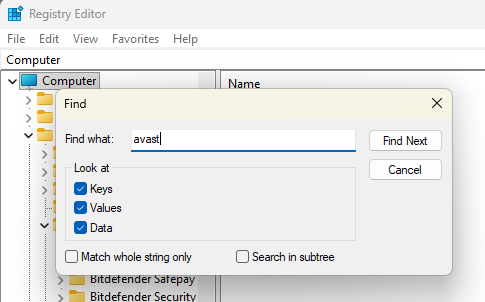
The F3 key will let you “Find Next” as you progress through. Ignore things that say “TargettingAttributes” in their name. Right click on a found item which will usually point to a file in an Avast directory or the directory itself and choose delete. Hit F3 to continue with this fun. You will not be able to delete all of the registry entries the first pass through. The stubborn ones will have something loaded into memory. Even if you have already deleted the entire Avast directory tree, those entries still have something loaded. Reboot and play this game again. Deletion will be more successful.
AVG
Most of the AVG stuff you need to delete will appear near the Avast stuff. Do not happy key!
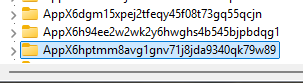
There is a ton of regular Windows stuff with “avg” in its name.

Aura
Always return to “Computer” before starting a new search.
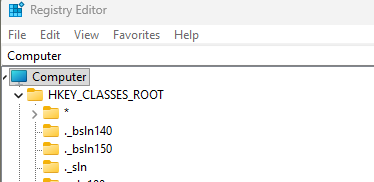
Aura can be very insideous where it hides.
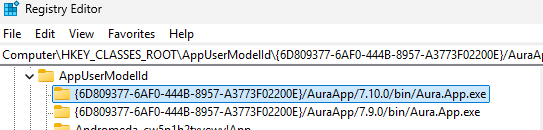
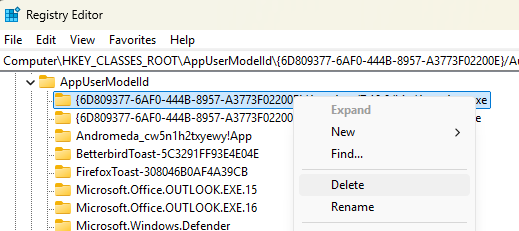
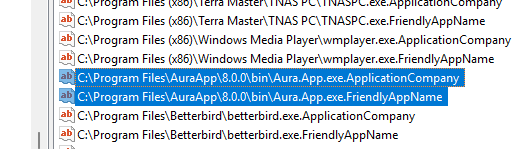
In the right part of the window you can click on one then use <shift><arrow> to select more than one before right clicking then choosing delete.
Summary
The Avast Browser and Browser Plugin will make you think they are a virus unto themselves when trying to delete them from your registry. Set aside at least an uninterrupted hour for this task. Turn off your phone. You need to focus.
Don’t use a bulk registry cleaner because AVG will put you in a world of hurt.
Do an mage backup of your system before this cleanup. Be sure to reboot when done.


