While Fedora 43 has a fairly clean look, it once again goes to great lengths to be “expert friendly.” This particular battle has to do with Postgresql. Regular readers may recall my post about getting Postgresql to install and run on Fedora 33. Most of that post is still relevant.
fedora 43 postgresql Error: connection to server at “localhost” (::1), port 5432 failed: FATAL:
Yeah, most of you found this post because of that error. With the exception of PCLinuxOS, the RPM based distro world has a fetish for not playing nice with others. When you choose to do something none of the popular distros do, you should at least have the decency to spit out a message during installation.
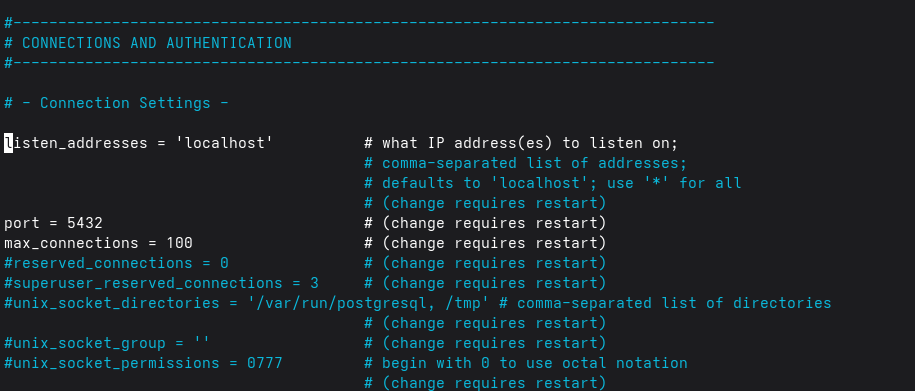
The “defaults” used by most platforms are commented out on Fedora 43. You need to tell Postgresql to listen to localhost on port 5432, where everybody looks for it.
That is Still Not Enough
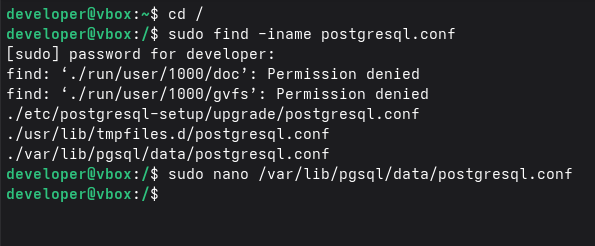
Even after you change that and reboot you still cannot connect over local host using a password. Search your system for
pg_hba.conf
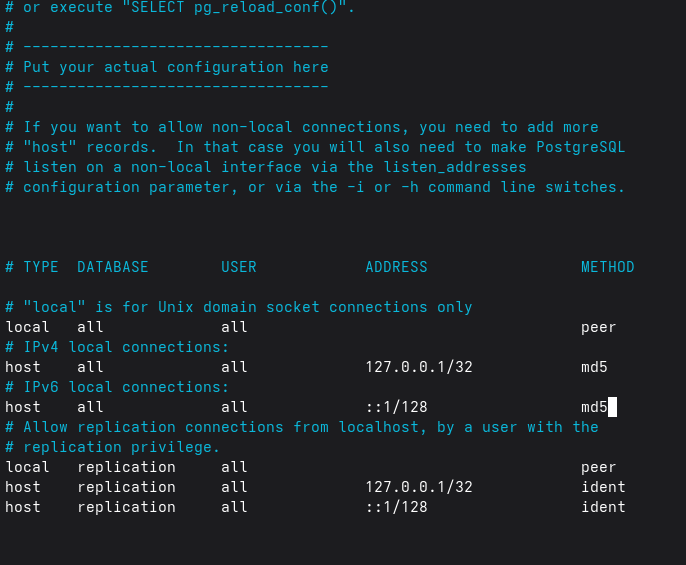
The default in this script is to use ident for the two now changed to md5. Change to md5, save, and reboot.
You should finally be able to connect with your database.
Roland Hughes started his IT career in the early 1980s. He quickly became a consultant and president of Logikal Solutions, a software consulting firm specializing in OpenVMS application and C++/Qt touchscreen/embedded Linux development. Early in his career he became involved in what is now called cross platform development. Given the dearth of useful books on the subject he ventured into the world of professional author in 1995 writing the first of the "Zinc It!" book series for John Gordon Burke Publisher, Inc.
A decade later he released a massive (nearly 800 pages) tome "The Minimum You Need to Know to Be an OpenVMS Application Developer" which tried to encapsulate the essential skills gained over what was nearly a 20 year career at that point. From there "The Minimum You Need to Know" book series was born.
Three years later he wrote his first novel "Infinite Exposure" which got much notice from people involved in the banking and financial security worlds. Some of the attacks predicted in that book have since come to pass. While it was not originally intended to be a trilogy, it became the first book of "The Earth That Was" trilogy:
Infinite Exposure
Lesedi - The Greatest Lie Ever Told
John Smith - Last Known Survivor of the Microsoft Wars
When he is not consulting Roland Hughes posts about technology and sometimes politics on his blog. He also has regularly scheduled Sunday posts appearing on the Interesting Authors blog.


One comment on “Fedora 43 and Postgresql”
Comments are closed.